Preview of the Slow Pixels website. Downloads and sign-ups aren't switched on yet.
Apps for the Mudita Kompakt
Add what you miss. Keep the quiet.
Minimal phones are catching on, and they need good apps. Slow Pixels makes them, starting with the Mudita Kompakt.
Each app does one job, then lets you put the phone down. A camera that shoots video, your calendars, audiobooks and ebooks, podcasts, a keyboard that keeps up, a running coach with no legs, and a few games made for a slow screen.
Every app here, and the Slow Pixels Mac app, is made just for the Mudita Kompakt right now. The Light Phone III, iPhone and Android come later.
Made for the phone it's on
Each app follows its phone's own design. On the Kompakt that means no animation, no flicker, and lists that turn a page at a time, like Mudita's own apps.
Free while it's new
Every app is free, and so is the Mac app. Install them from your computer in a minute.
Tools, not feeds
No feeds, and nothing that nags you to come back.
Private by default
No account to make, no ads and no tracking. More than half the apps can't go online at all.
Camera: your Kompakt shoots video now.
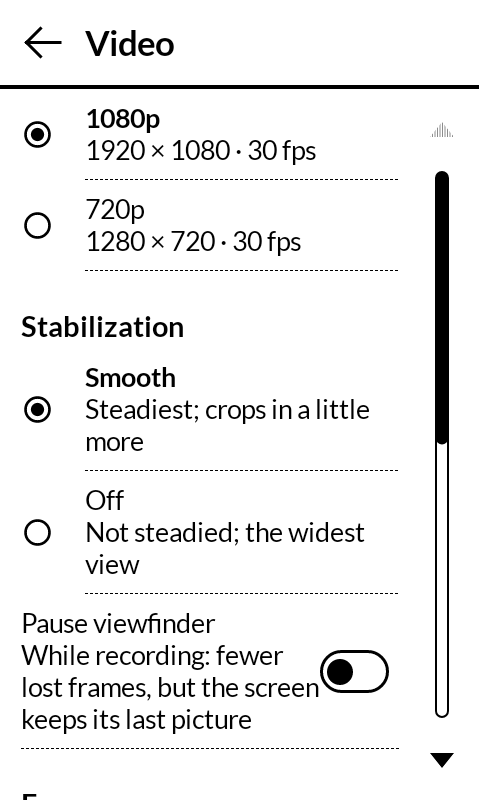
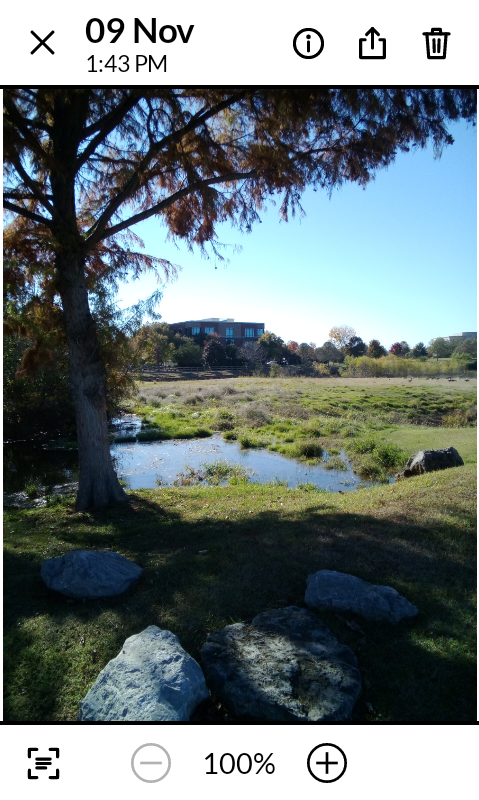
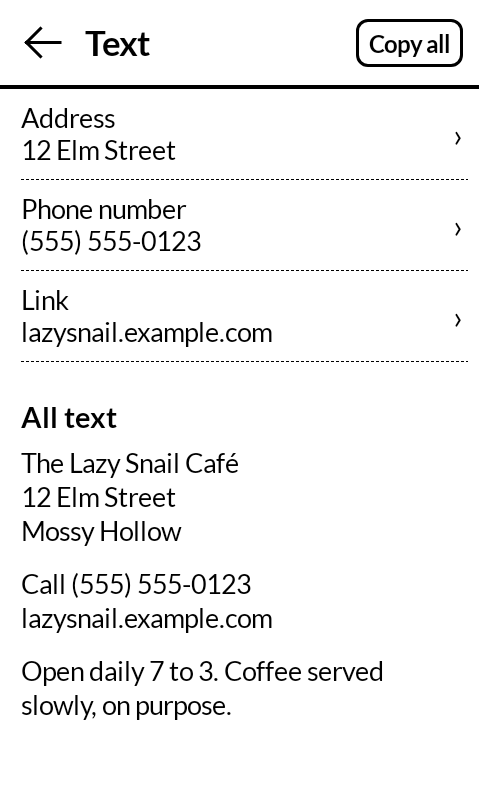
Camera does what the built-in camera can't. It records steady 1080p video, reads QR codes and knows what to do with them, and lets you copy text right off a photo. Every photo is the sensor's full 8 MP picture, with the time zone, place and lens saved inside.
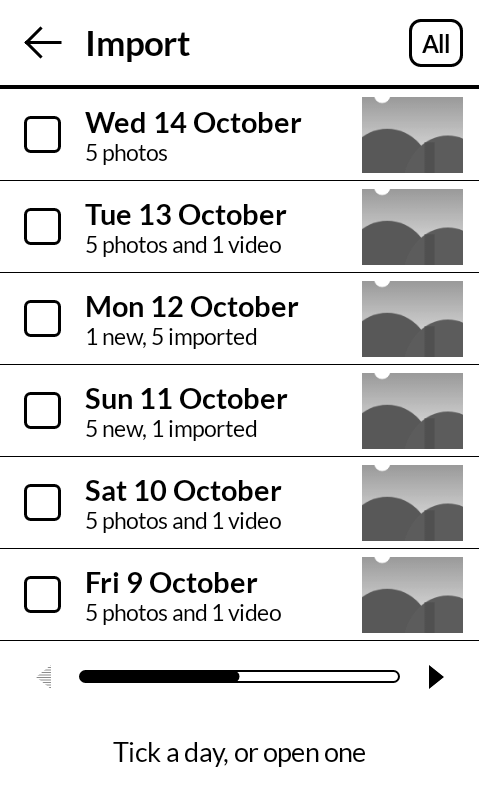
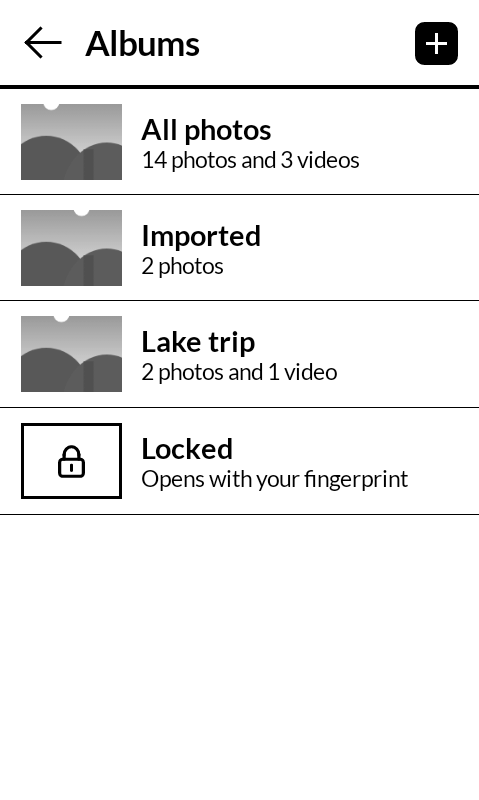
It brings photos in, too, from a microSD card, a USB-C card reader or a camera plugged in by its cable. It sorts them into albums, keeps private ones in a Locked album, and stops the tiny duplicate photos that show up when you import to a Mac. It keeps Mudita's look and never goes online.
What it adds
New: import by day, albums and a Locked album
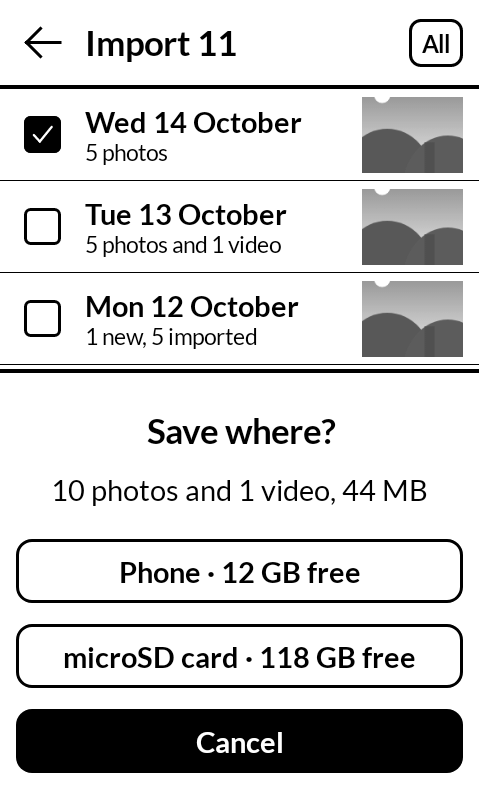
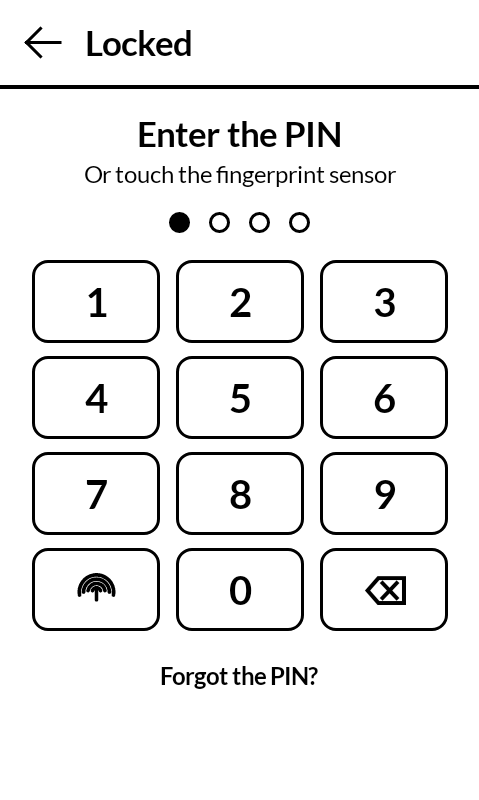
Pick a whole day off a card and choose where it goes: the phone or a microSD card. Sort photos into albums without moving them. Put private ones in the Locked album, which opens with your fingerprint or its own PIN.
Built-in camera or Camera?
| Feature | Built-in | Camera |
|---|---|---|
| Photos in Mudita's style | Yes | Yes |
| Video, 1080p or 720p | No | Yes |
| Steady video (Smooth) | No | Yes |
| Reads QR codes | No | Yes |
| Copies text from photos | No | Yes |
| Saves the time zone, place and lens | No | Yes |
| No duplicate photos on a Mac | No | Yes |
Same lens. Way more camera.
Datebook: your calendars, in sync.
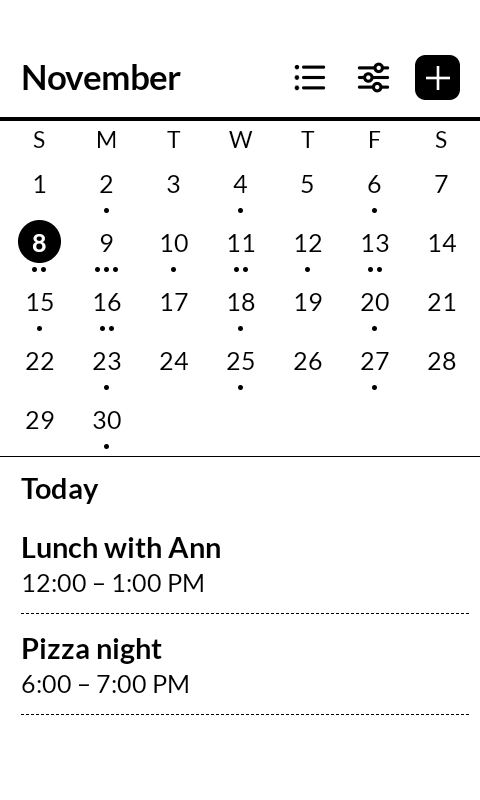
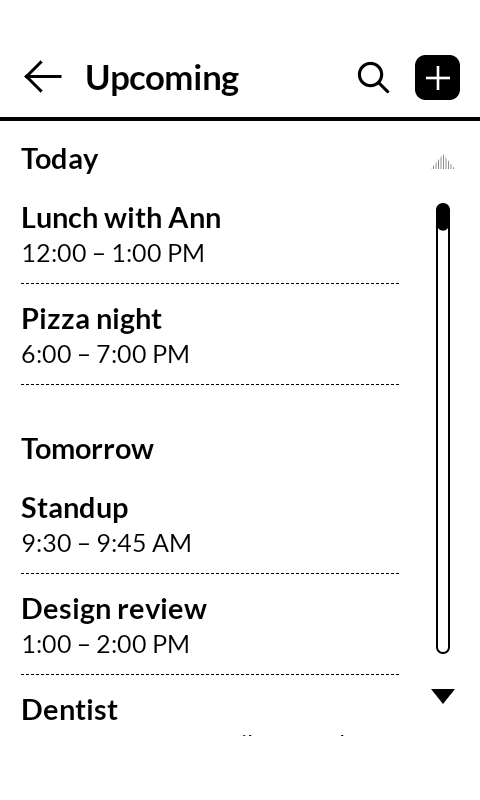
Datebook brings your iCloud, Google and other online calendars together on the phone, and changes you make there sync back. The calendar you share at home is the one in your pocket.
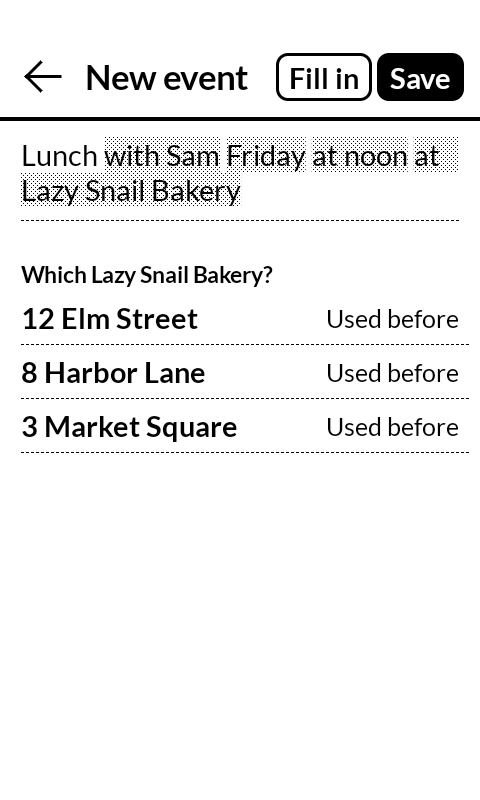
Type "lunch with Sam Friday at noon at the diner" and it fills in the day, the time and the place. When a name matches more than one place, it asks which one you mean instead of guessing.
Clearbooks: listen to a book, or read one.
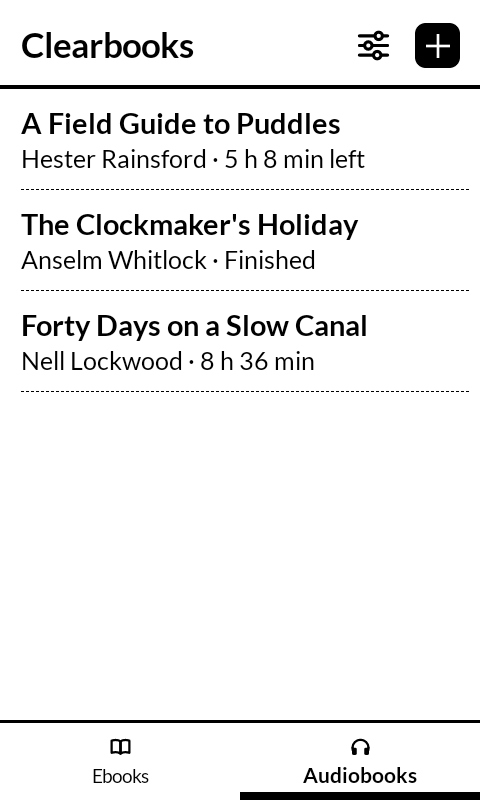
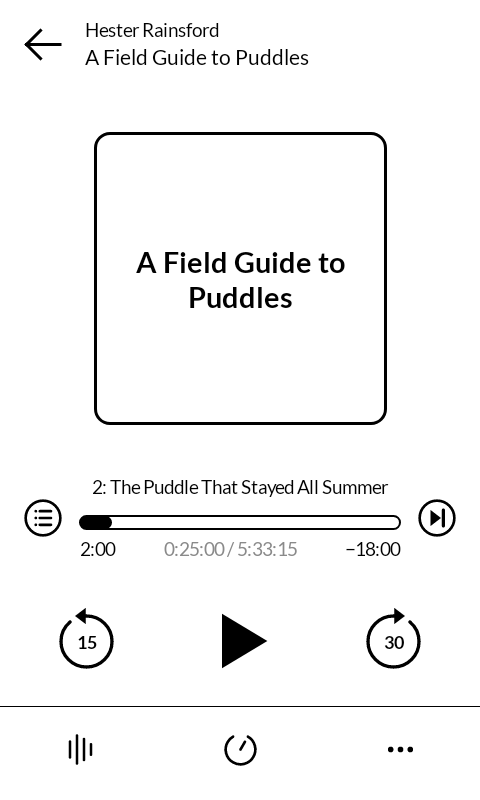
Listen to audiobooks or read ebooks from the same library. Audiobooks keep their chapters, remember where you stopped, and fade out gently with a sleep timer.
When you'd rather read, pages turn with the side keys, so your thumb never leaves the edge of the phone. It opens the DRM-free files you add yourself, and it never goes online.
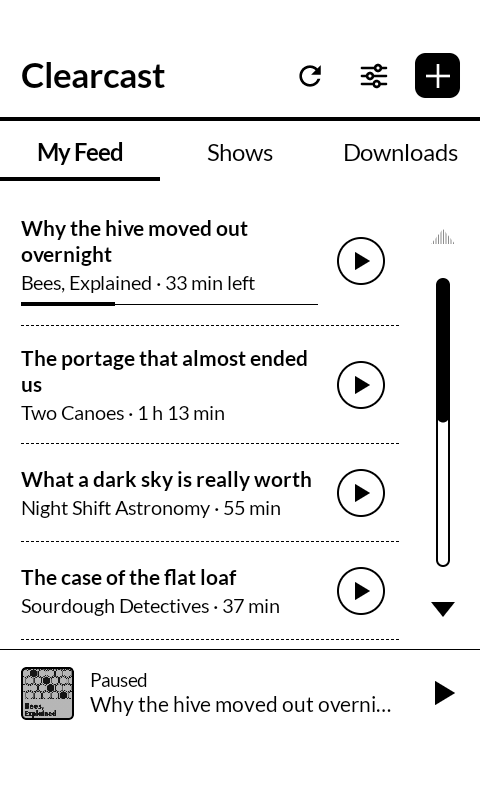
Clearcast: podcasts, made for the Kompakt.
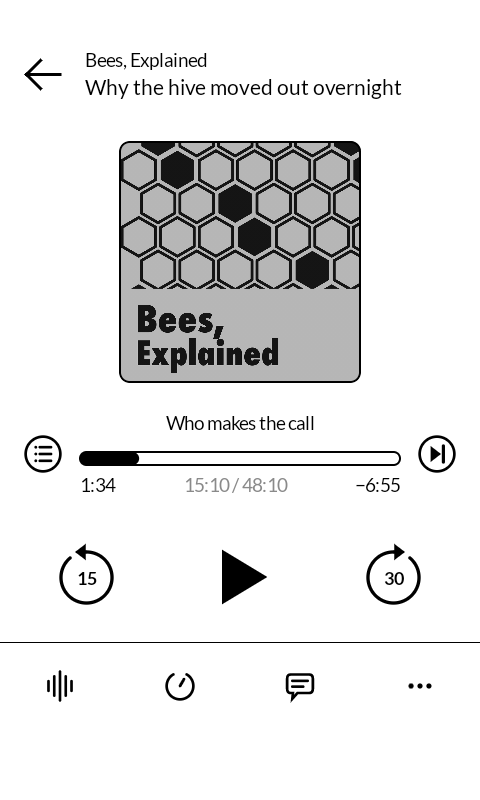
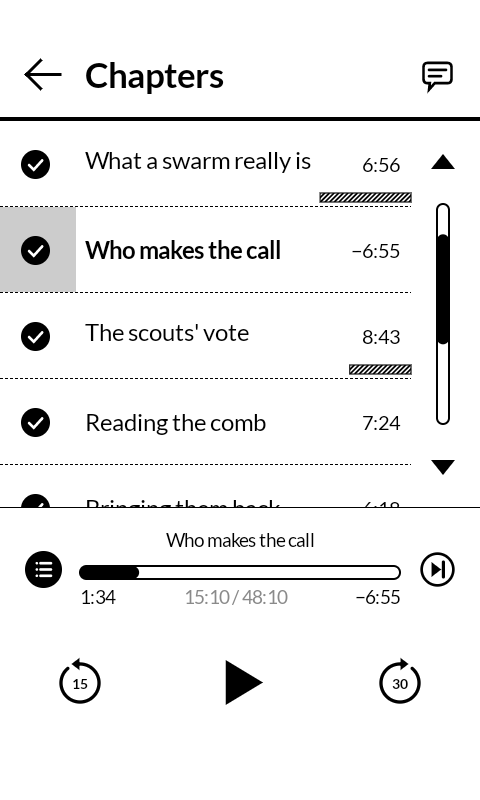
A podcast player drawn for E Ink. Follow your shows and listen, with each show's own chapters and transcripts. It works the minute you install it: no account and no setup.
Want more? Add your own AI key and Clearcast can cut the ads, plugs and theme songs, write chapters and a transcript for every episode, name who's talking and keep things clean. That part is off until you turn it on. The episode file is never changed, and it plays from the show's own server, so creators still get counted.
Free. The AI extras run on your own keys, and both services have free options. Clearcast Cloud, with no setup at all, is on the way as the one paid option.
What AI adds, if you turn it on
Psst…
Clearcast is coming to iPhone and Mac.
Get one email the day it's ready.
Better together
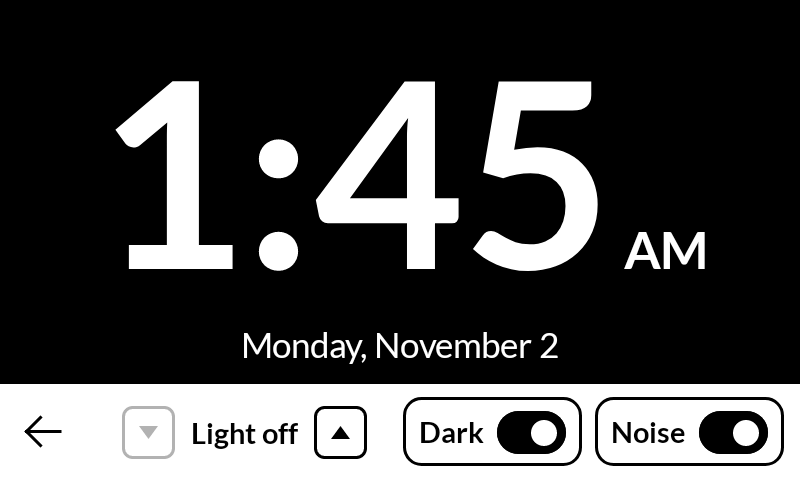
Nightstand mode
Start White noise and tap its moon. Clock opens a dim night clock that rests sideways on your nightstand, and its Noise switch plays or pauses White noise without leaving the clock.
- Five dim light levels, or no light at all
- White on black, or black on white
- Your morning alarm turns the noise off by itself
- Each app works fine on its own too
Meet the coach
Gary has no legs. He's counting on yours.
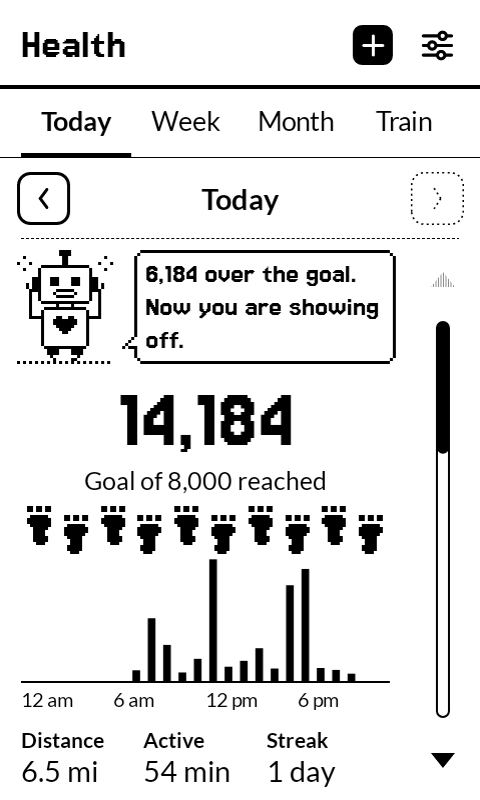
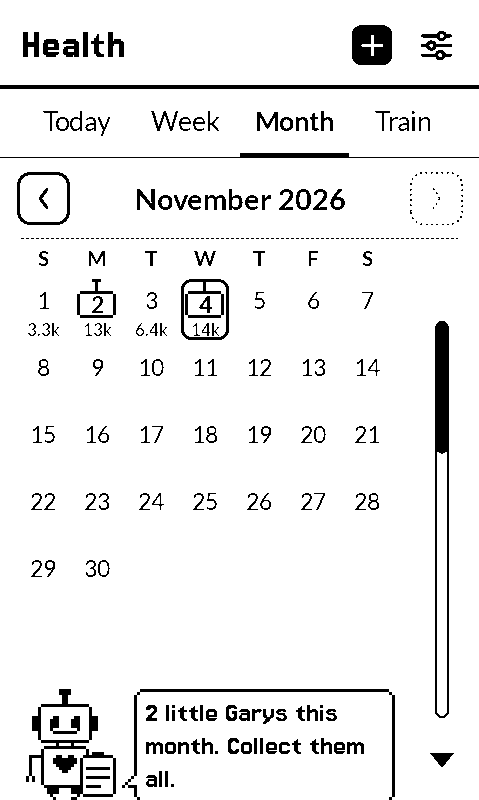
Gary is the old computer inside Health. He has never been outside, so your walks are his only way out. He rides in your pocket, reads out your time, distance and pace over your podcast in the voice of a machine from 1984, and every so often adds a remark you didn't ask for.
- The fact comes first. The joke comes after.
- He teases legs and himself, never you
- He stays out of your weight, food, sleep and mood
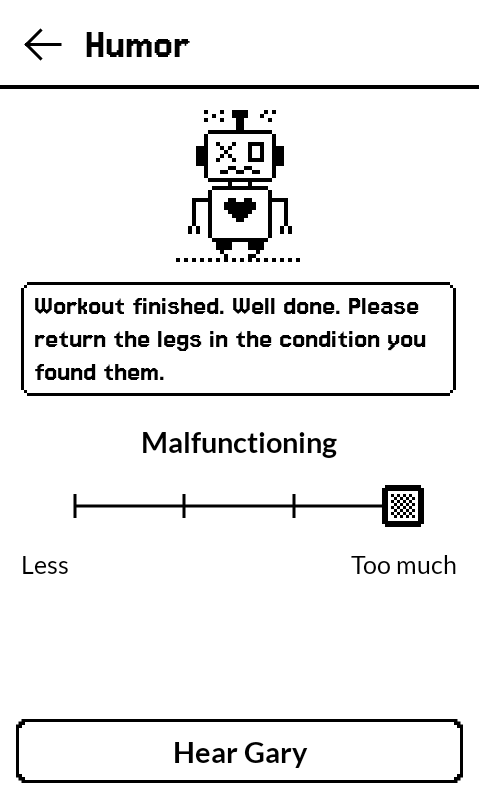
- Turn him all the way down and it's a plain, quiet health app
- No watch, no account, no internet
Turn the humor dial
{{garyLine}}
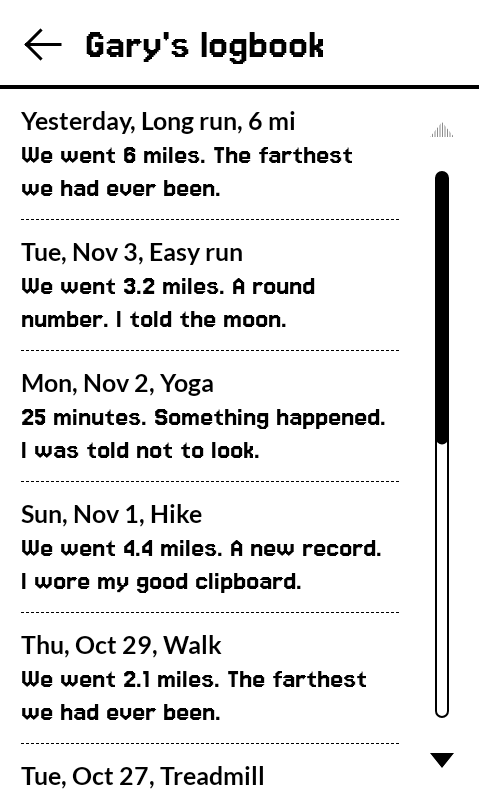
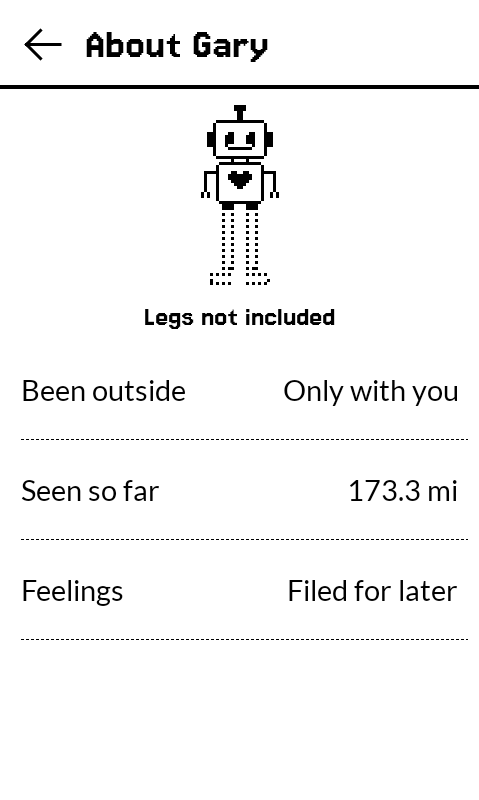
The apps
Every screen below is the real app, running on a Mudita Kompakt. Tap one to look inside.
{{cat.title}}{{cat.count}}
Don't see the app you need? Tell me what's missing.
Three steps to install
-
1
Download the APK
Get the file on your computer. Your Kompakt doesn't need a browser.
-
2
Open Mudita Center
Plug in your phone, then choose Manage Files › App Installers › Add file.
-
3
Confirm
Click the file, accept the note about outside apps, and it appears on your Kompakt.
Updates install the same way and keep your settings. On a Mac, the free Slow Pixels app can install them for you. See the full guide ›
Slow Pixels for Mac
A free Mac app, made for the Mudita Kompakt. It puts the apps on your Kompakt and keeps them up to date. It also shows your phone's texts in a window on your Mac, so you can answer from a real keyboard, and keeps your Notebook notes on the Mac too.
v0.4.1 · 9.1 MB · macOS 14 or later · Free while it's new
- Installs and updates every app for you
- Works with more than one Kompakt
- Text from your Mac, with junk texts set aside
- Your Notebook notes on the Mac, and in Apple Notes if you like
- Read the Bible and your books in a window
- Your Datebook and what you're listening to, on the Mac
- Keeps itself up to date
The Slow Letter
One short email when there's news.
New apps, big updates and new videos. About once a month. Unsubscribe any time.
What's next
Next stop: the Light Phone III
Light builds its phone around tools, not feeds. These apps were made that way from the start, so the first few are being rebuilt for Light's Tool Library, in Light's own look.
- White NoiseWith Light for review
- Kid TimerWith Light for review
- TV RemoteWith Light for review
- Guitar TunerWith Light for review
- Memo RecorderApproved by Light
- Compact BibleNext in line
After the Light Phone come iPhone and Android, starting with Clearcast. I want Slow Pixels on every minimal phone, including the ones that haven't been made yet.
I've already set off. Give me a month.
Your turn
What should I make next?
I'm one person, so I can't build everything. Your ideas help me choose.
An app you miss
A tool your phone doesn't have yet, or something one of these apps should do.
The next phone
The Kompakt comes first and the Light Phone III is next. Tell me which phone should follow.
I read every one. No account needed, and your email is optional.
Hi! I'm Mosey, the slow pixel.
Made slowly, on purpose
I'm David. I carry a Mudita Kompakt and build the tools I wish it had. Each one does one job, gets tested on my own phone and follows the phone's own design.
I think phones that do less are the future, and I want Slow Pixels to be out in front: apps that do their job and let you go, on the Kompakt now, then the Light Phone III, iPhone and Android.
Slow Pixels is just me. I show how the apps get made on YouTube.
The snail is Mosey. Mosey has never once been in a hurry, which is the whole idea.
Free while it's new.
Every phone app and the Mac app. If one makes your phone better, you can buy me a coffee. It keeps the next app coming.
{{sgTitle}}
{{sgIntro}}
This is only a preview, so nothing is sent yet.
Suggestions open soon
This is only a preview, so nothing was saved or sent.